Flows
Flows is a feature that allows you to define automation sequences for executing scheduled actions on devices, based on periodic evaluation of pre-established logical conditions.
This tool:
- Facilitates proactive diagnostics and early issue resolution.
- Enables self-healing mechanisms for recurring problems.
- Ensures continuous alignment of devices with the organization's configurations, evaluating and adapting them periodically.
List view
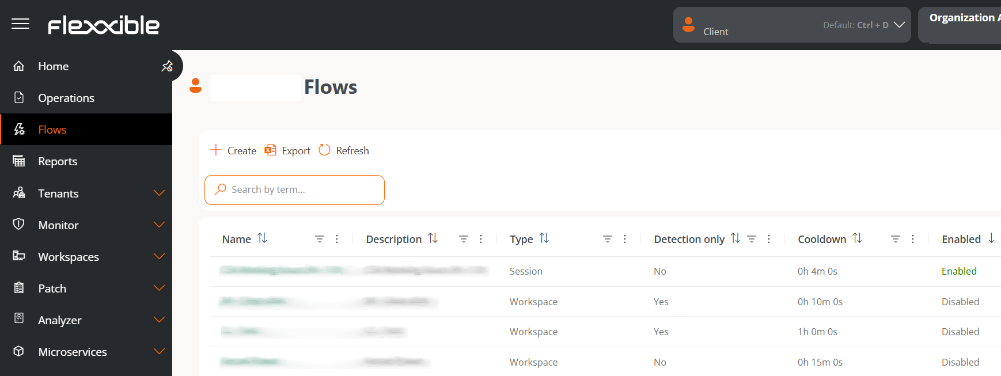
This table shows all flows created in the organization along with the following information:
-
Name. Name of the flow.
-
Description. Purpose of the flow.
-
Type. Scope of flow execution, determined by the microservice to execute:
- At user session level (with the corresponding permissions)
- At device level (with administrative access).
-
Detection only. When enabled, conditions are evaluated solely for detection purposes (sampling), without executing the configured microservice.
-
Reuse Time. Minimum period that must elapse before a condition is re-evaluated, after it has been met and an action executed:
- When a flow condition is met, an action is executed.
- Begin counting the cooldown.
- During this time, it will not be re-evaluated whether the condition is met.
- Once the period has passed, the condition will be evaluated again.
-
For example, if the cooldown is set for 24 hours, the condition will be evaluated and executed (if met) once a day, even if the condition remains active.
-
The cooldown does not apply when the action is a microservice that restarts the device. In this case, if the condition is met, the action is executed without waiting.
-
The minimum configuration parameter for reuse time is 10 minutes.
 info
infoIf FlexxAgent or the device is restarted, the cooldown timer is interrupted and starts from zero.
-
Enabled. Flow status (Enabled / Disabled).
Create a flow
Above the table, the New button allows you to create a flow. For more information, please check this guide.
Detail view
By clicking on a table record, you access the details of its configuration:
Overview
Stores the flow configuration data. It is divided into three tabs:
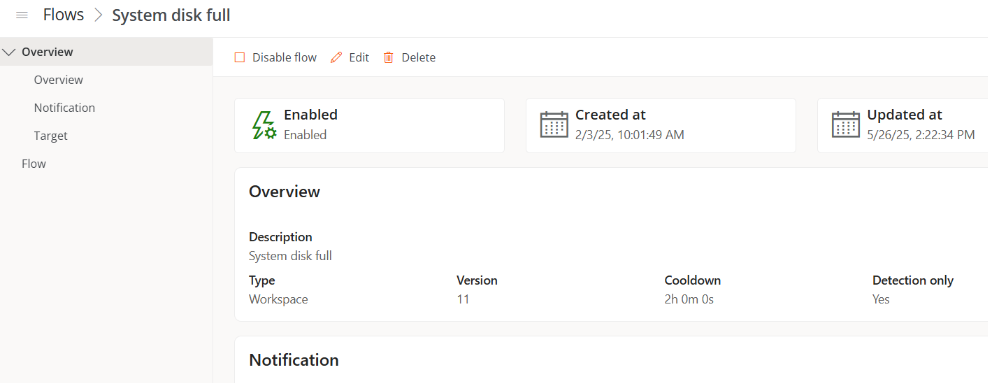
Overview
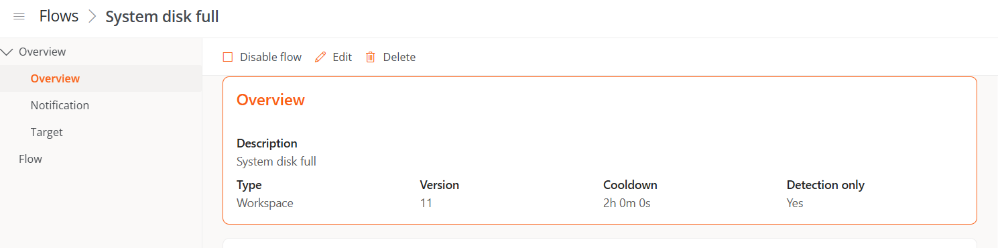
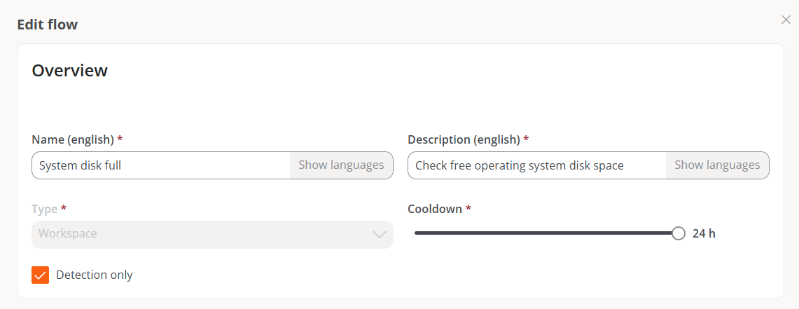
Provides general flow information: Description, Type, Cooldown Time and if it is set to Detection Only. It also reports on the Version, which increments by one each time the flow is edited.
Notification
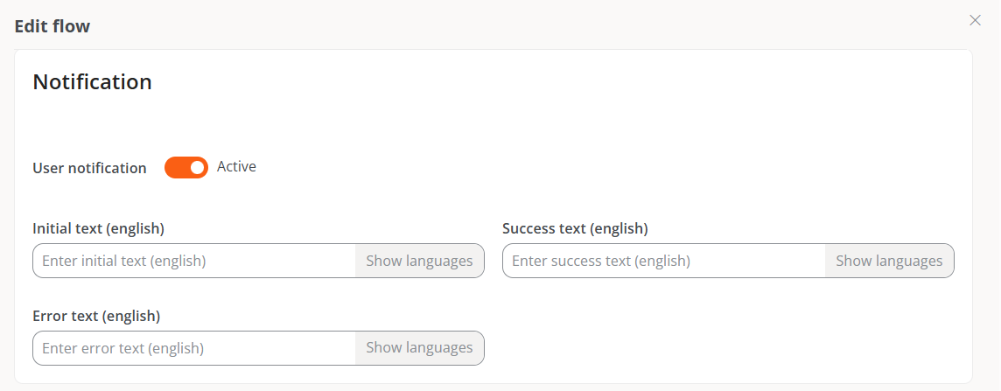
Details the notifications that the operating system will send to users at the start and end of the flow executions.

- Initial text. Content of the notification that will be sent to users at the start of the execution.
- Success text. Content of the notification that will be sent to users after a successful execution.
- Error text. Content of the notification that will be sent to users after an execution with errors.
Target
Specify the devices / groups of devices where the flow will execute.
- All workspaces. All devices in the organization.
- Workspaces. Specific devices.
- Workspace groups. Specific workspace groups.
- Report groups. Specific report groups.
Flow
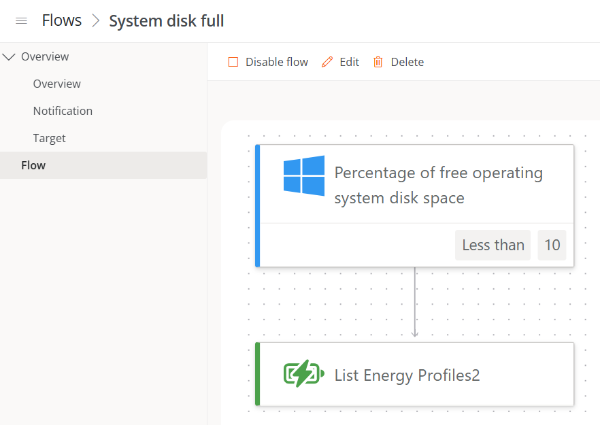
Shows the flow diagram, including:
- The conditions to evaluate.
- The defined thresholds.
- The action to execute if the parameters are met.
For detailed instructions on creating flows, check this guide.
Flow conditions
Flow conditions allow you to define the criteria under which the automated actions will trigger. All conditions described below are compatible with devices operating with the Windows operating system.
Existence of an ongoing process
- Performs periodic evaluations to check if a process is running.
- Configurable intervals between 15 seconds and 5 minutes.
Detected Windows event log record identifier
-
Searches for specific events in the Windows Event Viewer.
-
Intervals of 5 to 20 minutes.
-
Events are identified by the format:
<logName>:<Provider>:<id>Example:
System:Microsoft-Windows-Winlogon:7001Where:
-
logName= System -
Provider= Microsoft-Windows-Winlogon -
id= 7001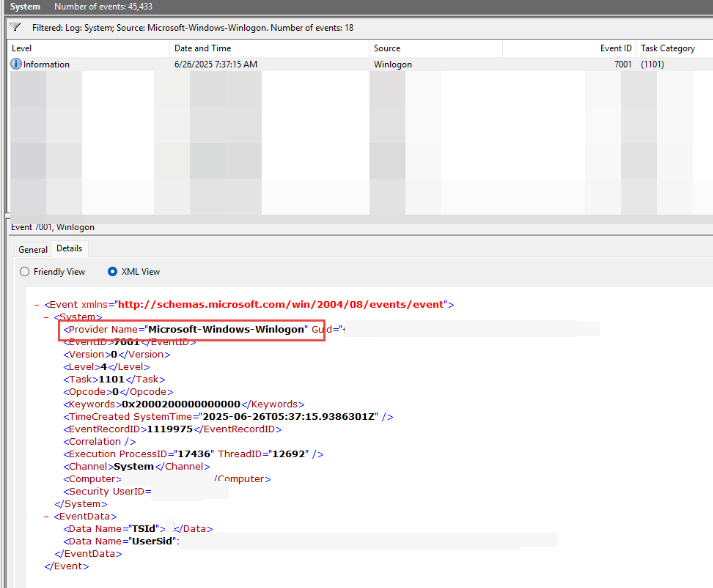
-
Operating system version
- Gets the operating system version at intervals from 1 to 12 hours.
- Uses operators that allow comparison if a value is equal, begins, ends, or contains a specific string.
Operating system language
- Detects the operating system language at intervals from 1 to 12 hours.
- Uses operators that allow comparison if a value is equal, begins, ends, or contains a specific string.
Operating system disk free space percentage
- Evaluates the free disk space, allowing setting a target percentage.
- It is checked at intervals of 5 to 60 minutes.
Cron Match
-
Checks if the current date and time match the schedule defined graphically in the Value field. If there is a match, the scheduled action will be executed.
-
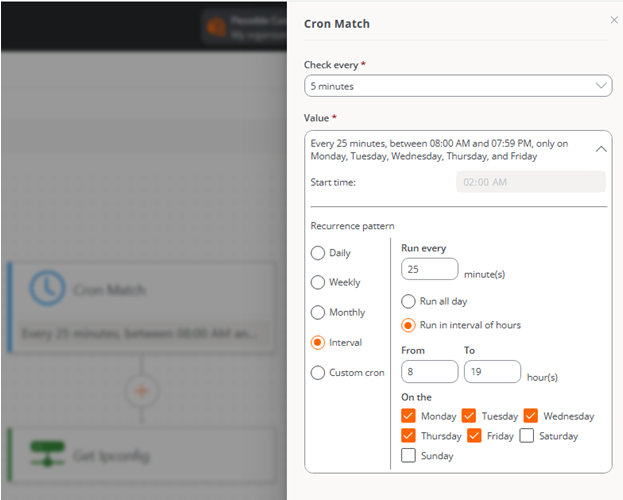
Check every. Specifies how often the system will evaluate if the schedule is met. This value must be adjusted according to the indicated schedule.
-
Value. Allows you to configure the schedule, periodicity, and recurrence that will determine when the action will be executed.
The form allows you to define a Recurrence Pattern through the following options:
-
Daily. Indicates what time and every how many days the action should be executed, as well as whether it should only be performed from Monday to Friday.
-
Weekly. Lets you define what time, every how many weeks, and on what days of the week the action will be executed.
-
Monthly. Sets what time and on what day of the month the action will be executed.
-
Interval. Determines how many minutes between each execution of the action within a day or a specific time range.
-
Custom cron. Allows manual entry of a string in standard cron format, useful for custom and advanced configurations.
At the top of the form, a textual summary of the configured schedule is displayed.
-
Time Considerations
-
Scheduling uses the backend time (not the device), currently in CET (UTC +1).
-
In Custom cron hours are specified in UTC.
Although a specific time is configured for a flow, execution is done approximately. This is because flows are processed in batches to ensure system scalability, and the backend estimates the optimal execution time to best fit the configured time.
For this reason, in certain cases a slight deviation from the configured schedule may be observed; for example, a flow scheduled for 10:00 a.m. could execute at 09:58 a.m.
tipTo check the cron schedule syntax, many references are available. For example: crontab.guru
To implement custom flow conditions—such as evaluating uptime in days, checking the current status of services, or any other parameter that can be locally analyzed from the device—please consult with Flexxible.
Action's
Actions are the microservices that have been programmed to automatically run when the predefined flow conditions are met.
To add an action when creating or modifying a flow, click on the corresponding condition and then select Add condition to choose one of the available microservices.
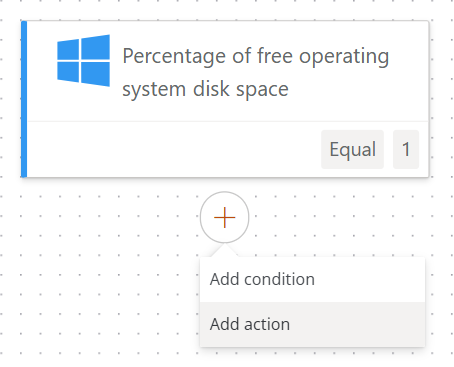
The microservices will only appear in the list if they are enabled for the organization. For more information on how to enable them, please consult the Microservices documentation.
Flow Management
Once created, a flow can be managed through the following options:
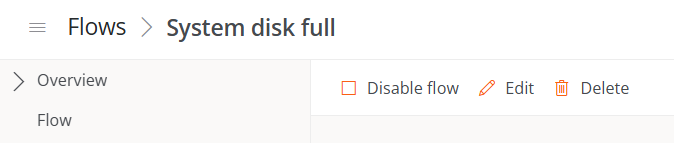
Enable/Disable Flow
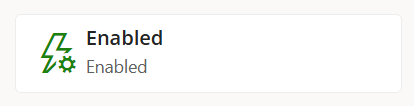
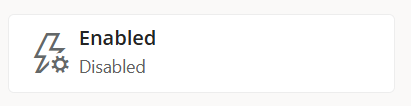
Allows activating or deactivating the flow within an organization. The current state of the flow can be checked from the table containing the flow list or in Overview.
Edit - Overview, Notification, and Target
Clicking on Edit from the Overview, Notification, or Target tabs allows you to modify settings defined during the creation of the flow.
-
Overview
Allows editing the name of the flow, its description, execution scope, reuse time, and the option to execute or not the microservice once the conditions are met. Each field is explained in the Overview section and in the guide Schedule microservices execution.
-
Notification
Allows enabling or disabling sending notifications to users and editing their content. The available message types are explained in the Notification section and in the guide Schedule microservices execution.
-
Target
Allows defining the target devices for the flow. From the
Apply tobutton, you can choose whether the flow will apply to all devices in the organization, specific devices, workspace groups, or report groups.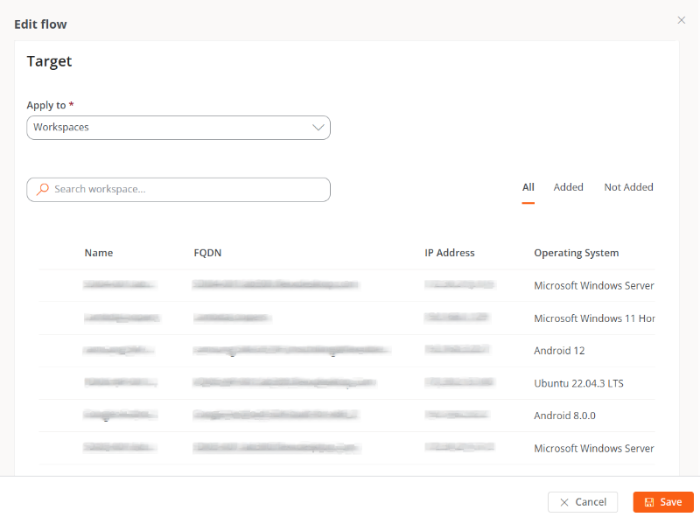
Edit - Flow
If you click on Edit from the Flow tab, you will be able to modify the conditions and actions that make it up.
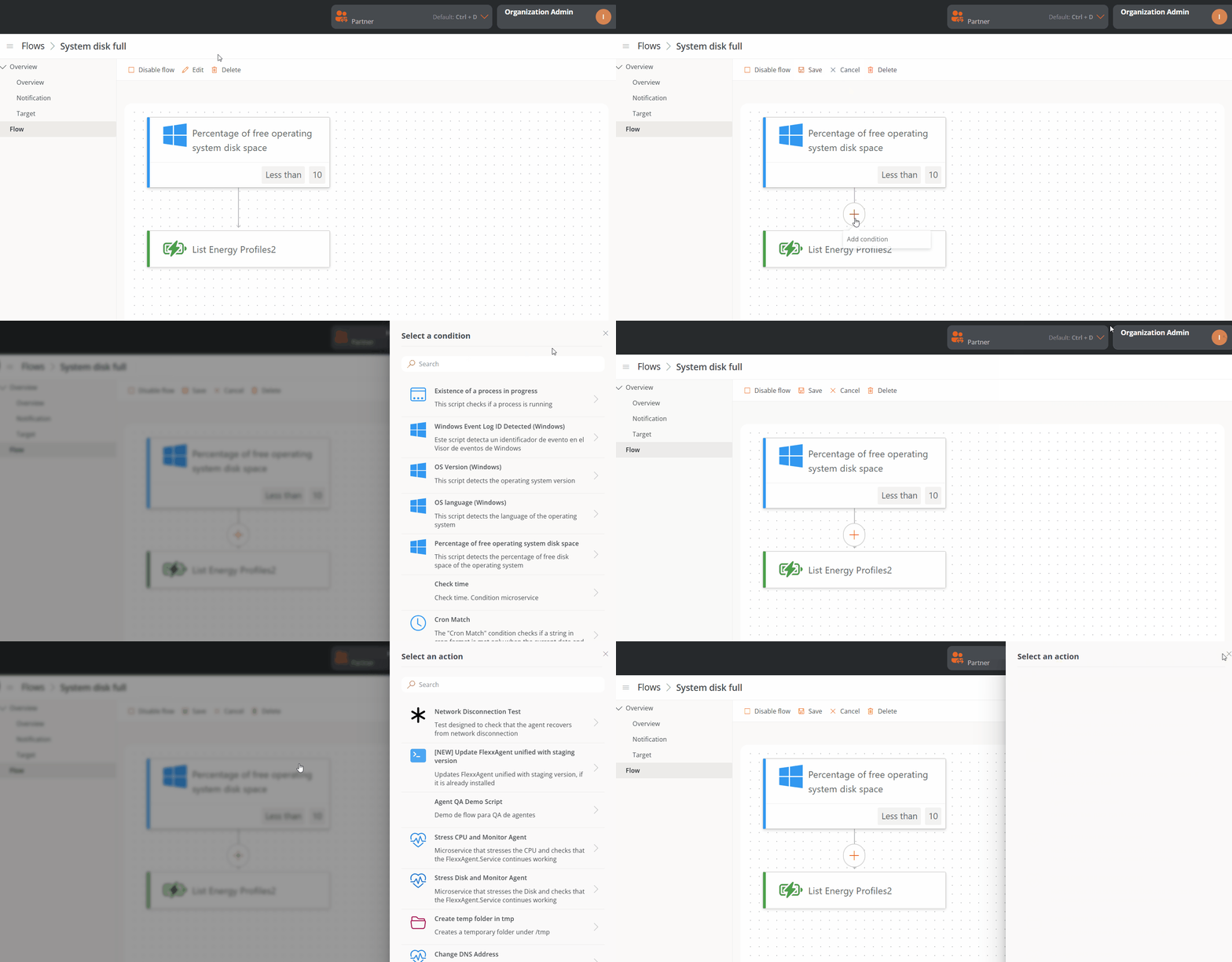
Changes made in a flow can take up to 15 minutes to apply to all linked devices.
Delete
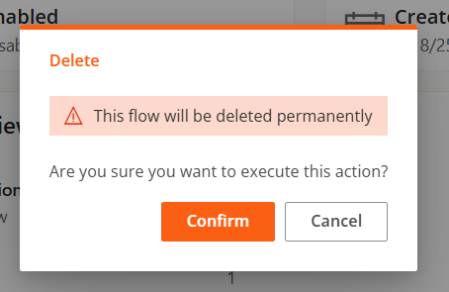
Allows permanent removal of the flow.