Reporting groups from Workspaces
Reporting groups allows you to download FlexxAgent in the reporting groups configured in the organization, as well as access detailed information about the devices that are part of it.
List view
Displays a table with the list of reporting groups detected in the organization. The columns include:
- Id. Reporting group identifier.
- Name. Name assigned to the reporting group.
- Tenant. Tenant to which the reporting group belongs.
At the top of the table, you’ll find the following options:
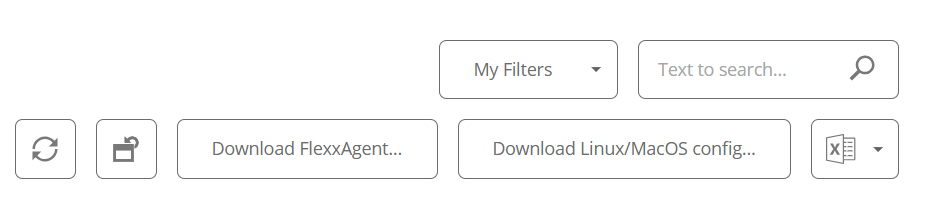
- My filters. Allows managing filters for searching reporting groups.
- Text to search. Free search box to find reporting groups based on the entered text.
- Update. Reloads the list of reporting groups after applying filters.
- Reset all settings made for this view. Returns to default viewing parameters.
- Download FlexxAgent. Allows downloading the FlexxAgent installer for the selected reporting groups.
- Download Linux/MacOS config. Downloads the configuration file necessary to install FlexxAgent on Linux or macOS systems.
- Export all items. Exports the complete list of reporting groups in
.csvor.xlsxformat.
Download FlexxAgent
Steps to download FlexxAgent installer:
- Access the Workspaces module ->
Level 2->Reporting groups. - Select the desired reporting group.
- Click
Download FlexxAgent. - A window will open to download the installer.
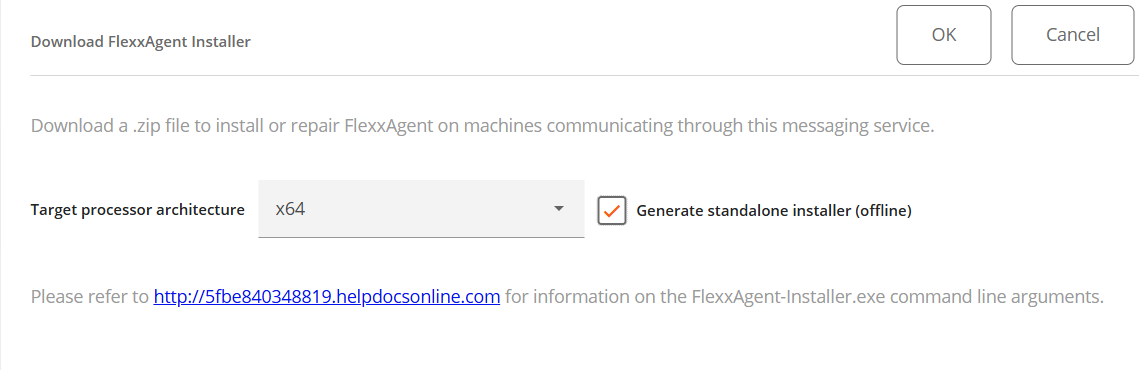
If the
Generate standalone installer (offline)option is checked, an installer that does not require an internet connection for checking or downloading the binaries will be generated. Otherwise, the minimum installation package will be downloaded, which will need internet access to check and download the most recent binaries.
For more installation options, check the FlexxAgent documentation.
Configuration file download for Linux and macOS
Steps to download the configuration file:
- Access the Workspaces module ->
Level 2->Reporting groups. - Select the desired reporting group.
- Click
Download Linux/MacOS config. - A
.zipfile will download containing the configuration file with the.confextension, needed for installing FlexxAgent on devices running Linux or macOS.
Detail view
When you select a reporting group from the list view, you'll access a detailed view that includes:
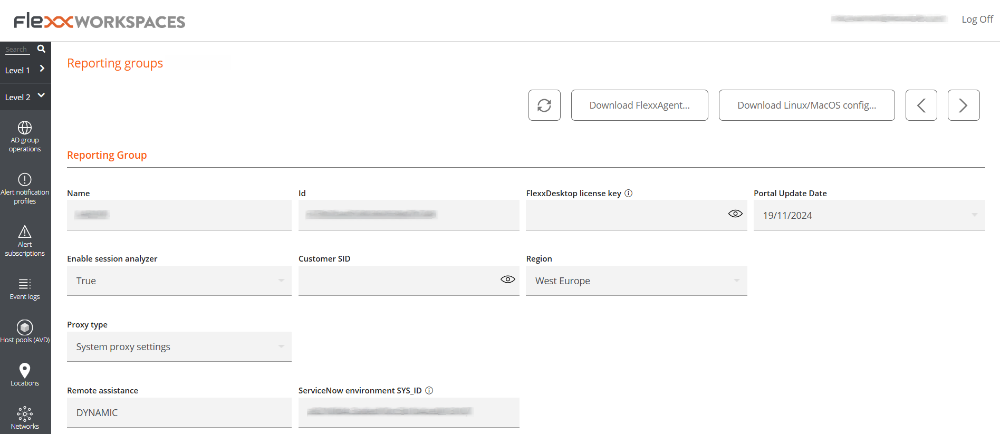
- Name. Name of the report group.
- Id. Reporting group identifier.
- FlexxDesktop license key. If available, the installed product license.
- Portal update date. The date on which the reporting group was updated.
- Enable Session Analyzer. Indicates if it's configured to launch Session Analyzer in all user sessions.
- Client SID. Unique identifier of the client.
- Region. Geographic location of the client's environment.
- Proxy type. Proxy configuration type: System proxy configuration or Configuration detected by FlexxAgent.
- Remote assistance. Indicates if any type of remote assistance is assigned.
- SYS_ID of ServiceNow environment. The SYS_ID of the related ServiceNow environment.
Additionally, specific information is provided about the following elements:
Devices
List of devices included in the reporting group. If the report group was created using a fishing pattern, the configured RegEx term and associated ID will be displayed.
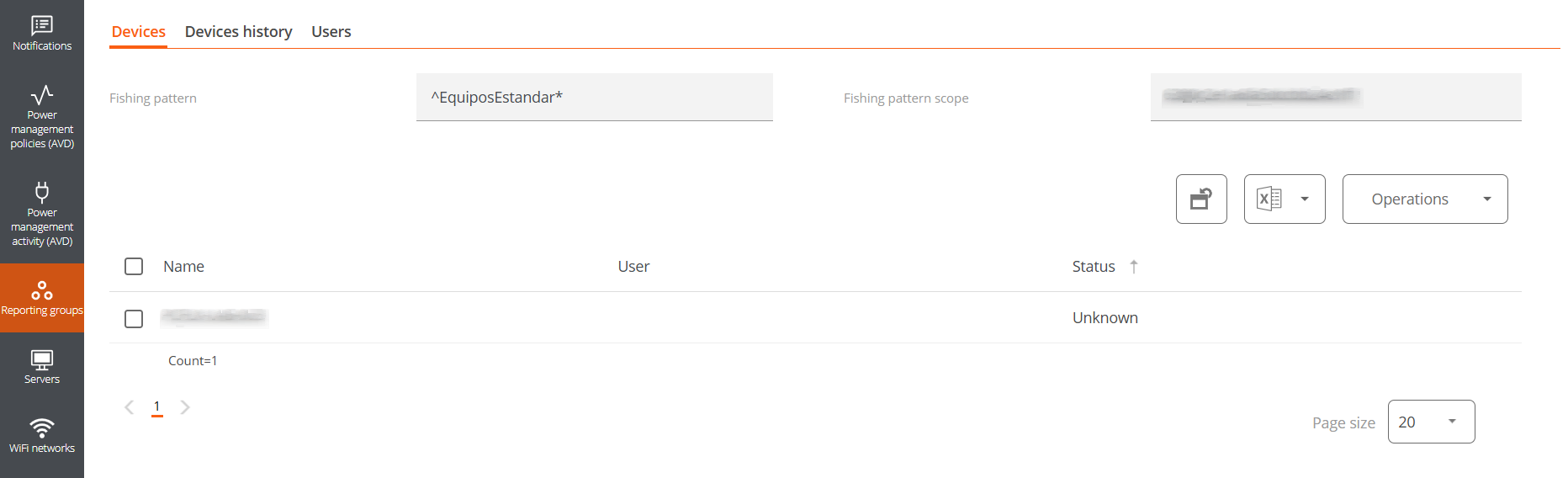
The Operations button allows executing actions on the selected devices.
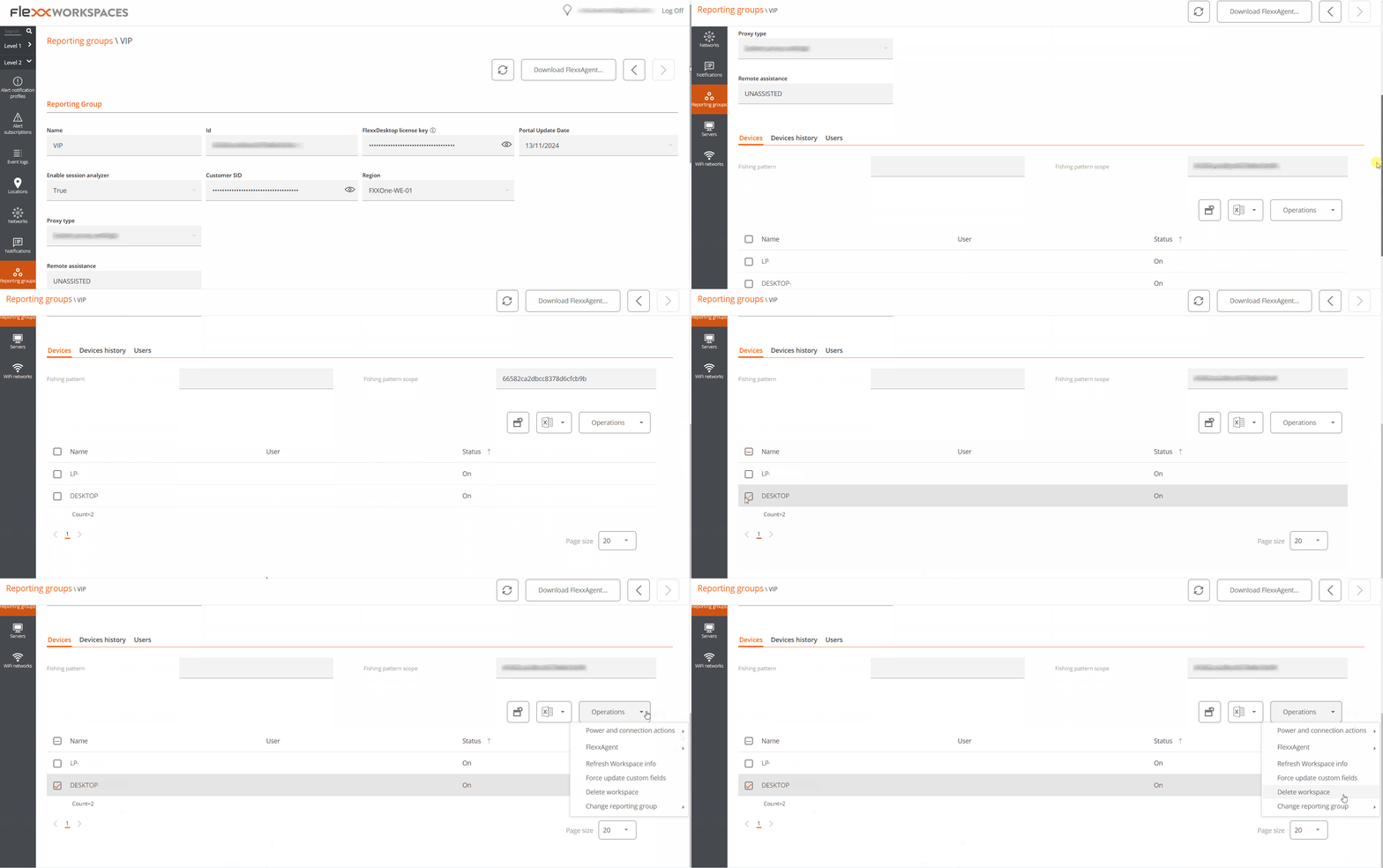
Removal of a device from a reporting group
- Access the Workspaces module ->
Level 2->Reporting groups. - Select the corresponding reporting group.
- In the
Devicestab, select the device. - Go to
Operations->Delete workspace.
Devices history
It records the name, date of incorporation, and assignment method (manual or automatic) of devices to the reporting group, as well as their source and destination groups.
Users
List of users associated with the reporting group, along with information about the tenant and the role assigned within the organization.
FlexxAgent version
List of operating systems on which FlexxAgent has been installed, as well as the version configured in FlexxAgent Version, for both the Early and Production environments.
As indicated in the FlexxAgent Version documentation, Early is the testing environment and Production is the actual environment.