Getting Started
This document describes the steps needed to make the first calls to the Flexxible API.
Environments
Access to the API may vary depending on the environment.
Base URL
All API routes are built from this base:
https://api.one.flexxible.net
Generate an API key
To create this key, the user must have the role of Organization Administrator.
-
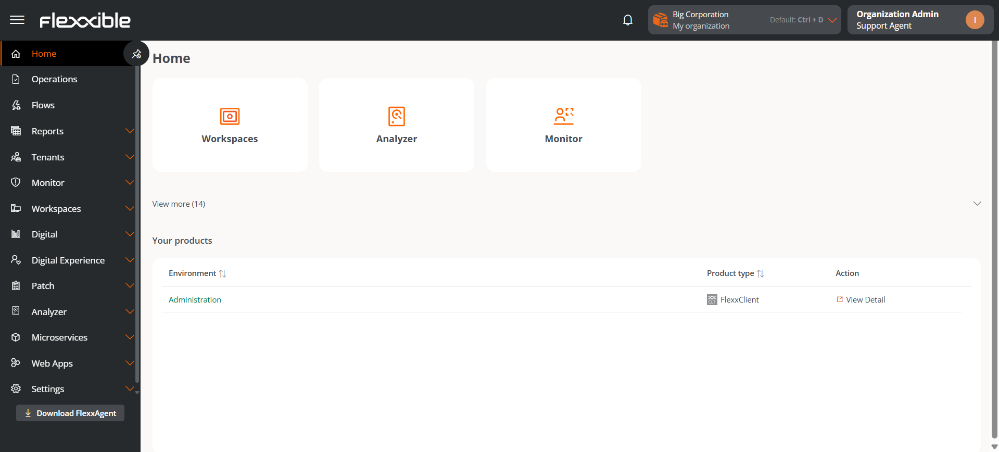
Access Portal.
-
In the sidebar, click on
Settings→Organization. -
Select the
API Keystab.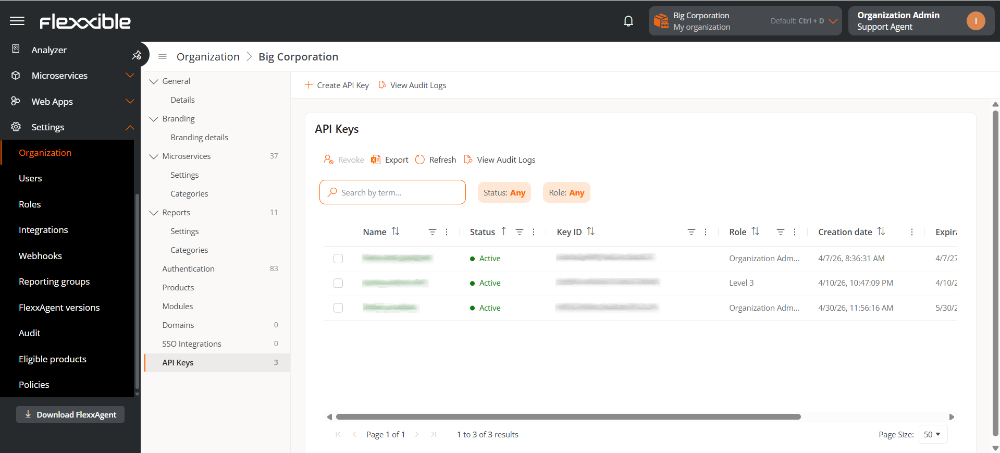
-
Click on
Create API Key. -
Fill out the form.
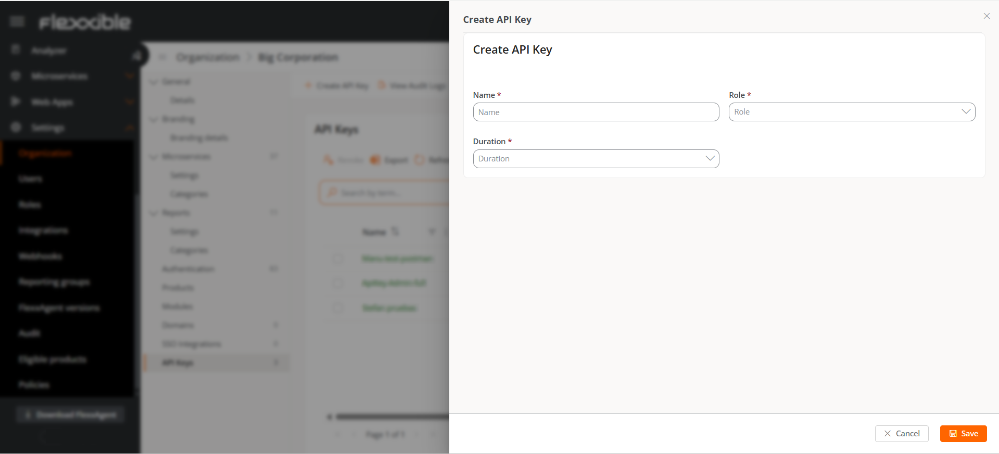
- Name. Identifier for the API key.
- Role. Role assigned to the user in Portal.
- Duration. Validity period of the key.
-
Confirm with
Save.
Authenticate the requests
All requests should include the key in the Authentication header using the Bearer scheme:
Authentication: Bearer <api_key>
Although the Bearer scheme is used, the value corresponds directly to an API key generated in the Portal, not a token obtained through an additional authentication process.
Get the organization ID
Each endpoint requires the organization ID as the first path segment.
https://api.flexxible.net/v2/organizations/:organization_id/{endpoint}
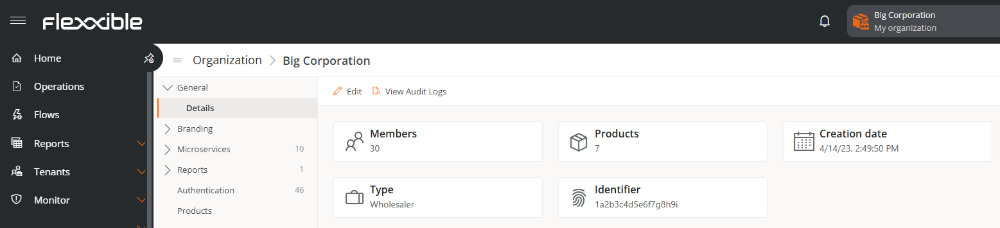
To find the organization ID:
-
Go to
Portal->Settings->Organization. -
Select the
General->Detailstab. -
Copy the identifier.
OpenAPI Contract
Download the OpenAPI contract in JSON format to view the complete API specification and simplify integrations.
Limits
To ensure stability, performance, and service availability, the platform applies logical limits to the maximum number of items a tenant can store for each entity available in the API. These limits are not about API request limits (rate limits) but define the maximum number of elements of each entity type a tenant can hold at any given time.
These limits are applied by default across all environments.
| Entity | Item limit |
|---|---|
| Tenants and delegated tenants | 100 |
| Organizations | 100 |
| Reporting Groups | 500 |
| Workspace groups | 1000 |
| Workspace groups → Scheduling | 10 |
| Flows | 100 |
| Microservices | 500 |
| Reports | 500 |
| Web Apps | 100 |
| Webhooks | 100 |
| Licenses | 500 |
| Alert Configuration | 100 |
| Roles | 100 |
| Users | 1500 |
| Updates → Policies | 50 |
| Updates → Targets | 50 |
| Directives | 50 |
| Integrations | 10 |
| Report categories | 100 |
| Microservices categories | 100 |
| Domains | 5 |
| SSO Integrations | 5 |
| Products | 15 |
| Modules | 50 |
| API Keys | 15 |