Connection Logs
The connection log allows you to view the historical session logs of users in the organization.
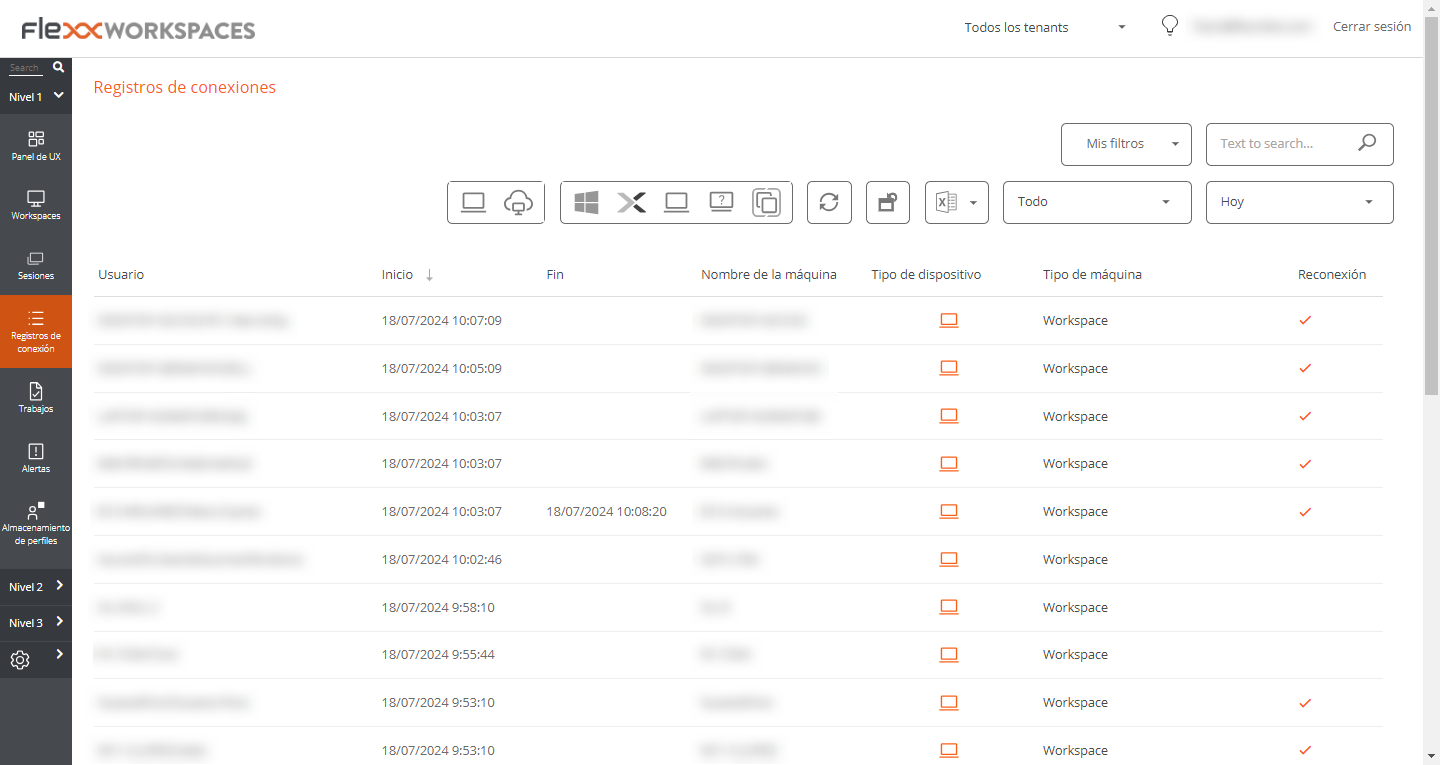
The information provided in this view is (by default):
- User. Username of the session account.
- Start. Date and time of connection start.
- End. Date and time of connection termination (an empty field means the session is still open).
- Machine Name. Device the user is connected to.
- Device Type. Type of device, virtual or physical, used for session connection.
- Machine Type: Type of machine, device, or session host, serving the connection.
- Terminal. Host name of the physical origin connection equipment.
- Reconnection. Checks if the current session is a reconnection of the previous one.
- Subscription/Broker. Name given to each supported subscription and broker.
- Group/Catalog. Name of the host group containing the device.