Machine Catalogs
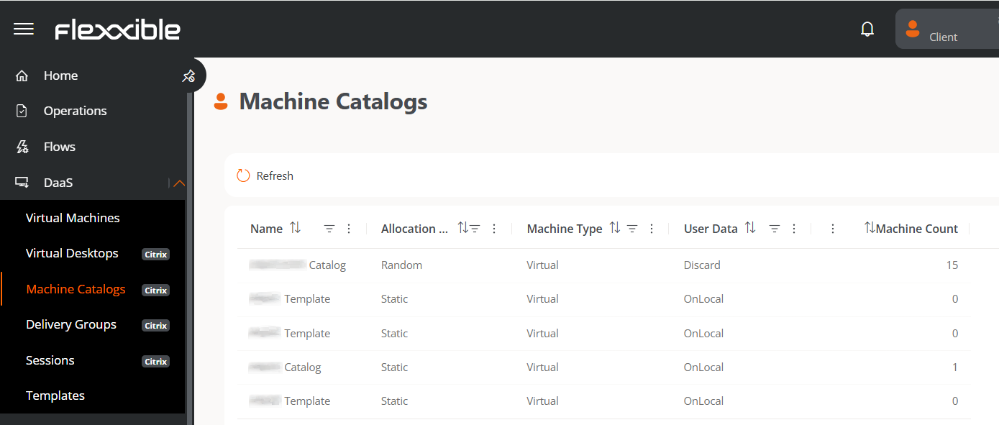
The Machine Catalogs view allows you to consult and manage the configuration of the catalogs, including the number of machines, the assignment model (dedicated or shared), the hardware, operating system, and other relevant parameters found in the broker.
This design allows the organization to:
- Access the template directly via Citrix.
- Make changes (e.g., install new applications).
- Shut down the template.
This section centralizes the management of all tenants, avoiding the need to connect individually to each broker.
note
In addition to the catalogs aimed at providing desktops to end users, there is an independent catalog for each template, with the goal of facilitating its maintenance and update.
Table info
- Name. Name of the catalog.
- Assignment Type. Random or Static.
- Machine Type. In DaaS, the machine type is virtual.
- User Data. Onlocal (persistent data) or Discard (non-persistent data).
- Machine Count. Total number of machines in the catalog.