Access levels
Roles allow grouping different levels of access for several organizations and, at the same time, allow grouping different levels of access by module to manage them in a simplified way.
Multiclient environments
The roles of an organization allow configuring access and visibility for the users of the organization, and also allow including the permissions to configure access and visibility to dependent organizations.
An organization is dependent when:
- It is client type and the roles and users are in the partner organization at a higher level.
- It is a sub-organization of a client organization.
Roles are assigned to users and contain the definition of levels of access and visibility, being able to establish different configurations for the root organization and its sub-organizations in the same role. This can only be done in a descending manner; that is, from a higher-level organization, permissions can be assigned to the organization itself and the organizations that depend on it.
Levels of access by modules
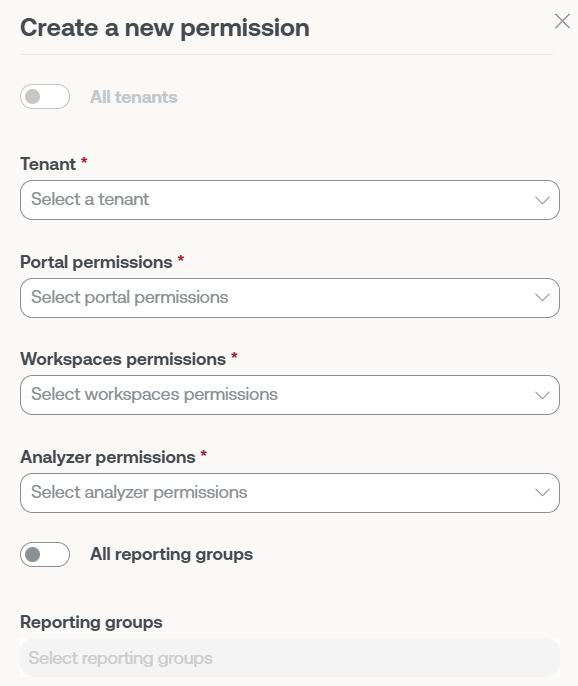
The levels of access are also defined for each module of the solution:
Portal
The following roles are distinguished in Portal:
- No access
- Organization Administrator or
1in the table below - Read-only organization administrator or
2in the table below - User or
3in the table below - L1 Support Team or
4in the table below - L1 Support Team read-only or
5in the table below - L2 Support Team or
6in the table below - L2 Support Team read-only or
7in the table below - L3 Engineering Team or
8in the table below - L3 Engineering Team Read Only or
9in the table below - Billing or
10in the table below
To access certain functionalities, in addition to access permissions in Portal, access to Workspaces is required, depending on the functionality, with Level 1 or Level 2 role.
These role levels allow configuring visibility and segmented access according to the needs of each organization. The details of the visibility and actions available for each Portal access level are defined in the table below:
| Section | Functionality | Action | 1 | 2 | 3 | 4 | 5 | 6 | 7 | 8 | 9 | 10 |
|---|---|---|---|---|---|---|---|---|---|---|---|---|
| Home | Read | ✅ | ✅ | ✅ | ✅ | ✅ | ✅ | ✅ | ✅ | ✅ | ✅ | |
| Operations | Read | ✅ | ✅ | ⭐ | ✅ | ✅ | ✅ | ✅ | ✅ | ✅ | ❌ | |
| Audit Logs | Read | ✅ | ✅ | ✅ | ✅ | ✅ | ✅ | ✅ | ✅ | ✅ | ✅ | |
| Flows | Read | ✅ | ✅ | ⭐ | ❌ | ❌ | ❌ | ❌ | ✅ | ✅ | ❌ | |
| Create | ✅ | ❌ | ⭐⭐ | ❌ | ❌ | ❌ | ❌ | ✅ | ❌ | ❌ | ||
| Update | ✅ | ❌ | ⭐⭐ | ❌ | ❌ | ❌ | ❌ | ✅ | ❌ | ❌ | ||
| Delete | ✅ | ❌ | ⭐⭐ | ❌ | ❌ | ❌ | ❌ | ✅ | ❌ | ❌ | ||
| Reports | List | Read | ✅ | ✅ | ❌ | ✅ | ✅ | ✅ | ✅ | ✅ | ✅ | ❌ |
| Detail | Read | ✅ | ✅ | ❌ | ✅ | ✅ | ✅ | ✅ | ✅ | ✅ | ❌ | |
| Create | ✅ | ❌ | ❌ | ❌ | ❌ | ❌ | ❌ | ✅ | ❌ | ❌ | ||
| Delete | ✅ | ❌ | ❌ | ❌ | ❌ | ❌ | ❌ | ✅ | ❌ | ❌ | ||
| Settings | Update | ✅ | ❌ | ❌ | ❌ | ❌ | ❌ | ❌ | ✅ | ❌ | ❌ | |
| Create with AI | Read | ✅ | ❌ | ✅ | ✅ | ✅ | ✅ | ✅ | ✅ | ✅ | ❌ | |
| Create | ✅ | ✅ | ✅ | ✅ | ✅ | ✅ | ✅ | ✅ | ✅ | ❌ | ||
| Update | ✅ | ✅ | ✅ | ✅ | ✅ | ✅ | ✅ | ✅ | ✅ | ❌ | ||
| Delete | ✅ | ✅ | ✅ | ✅ | ✅ | ✅ | ✅ | ✅ | ✅ | ❌ | ||
| Tenants | Create | ✅ | ❌ | ❌ | ❌ | ❌ | ❌ | ❌ | ❌ | ❌ | ❌ | |
| Read | ✅ | ✅ | ❌ | ❌ | ❌ | ❌ | ❌ | ✅ | ✅ | ✅ | ||
| Update | ✅ | ❌ | ❌ | ❌ | ❌ | ❌ | ❌ | ❌ | ❌ | ❌ | ||
| Delete | ✅ | ❌ | ❌ | ❌ | ❌ | ❌ | ❌ | ❌ | ❌ | ❌ | ||
| Activation | Read | ✅ | ✅ | ❌ | ❌ | ❌ | ❌ | ❌ | ✅ | ✅ | ✅ | |
| Monitor | Active alerts | Read | ✅ | ✅ | ✅ | ✅ | ✅ | ✅ | ✅ | ✅ | ✅ | ❌ |
| Alert Configuration | Create | ✅ | ❌ | ❌ | ❌ | ❌ | ❌ | ❌ | ❌ | ❌ | ❌ | |
| Read | ✅ | ✅ | ✅ | ❌ | ❌ | ❌ | ❌ | ✅ | ✅ | ❌ | ||
| Update | ✅ | ❌ | ❌ | ❌ | ❌ | ❌ | ❌ | ❌ | ❌ | ❌ | ||
| Delete | ✅ | ❌ | ❌ | ❌ | ❌ | ❌ | ❌ | ❌ | ❌ | ❌ | ||
| Workspaces | Read | ✅ | ✅ | ⭐ | ✅ | ✅ | ✅ | ✅ | ✅ | ✅ | ❌ | |
| Update | ✅ | ❌ | ✅ | ✅ | ❌ | ✅ | ❌ | ✅ | ❌ | ❌ | ||
| Delete | ✅ | ❌ | ❌ | ❌ | ❌ | ✅ | ❌ | ✅ | ❌ | ❌ | ||
| Workspace Groups | Read | ✅ | ✅ | ⭐ | ✅ | ✅ | ✅ | ✅ | ✅ | ✅ | ❌ | |
| Create | ✅ | ❌ | ❌ | ❌ | ❌ | ✅ | ❌ | ✅ | ❌ | ❌ | ||
| Update | ✅ | ❌ | ❌ | ✅ | ❌ | ✅ | ❌ | ✅ | ❌ | ❌ | ||
| Delete | ✅ | ❌ | ❌ | ❌ | ❌ | ✅ | ❌ | ✅ | ❌ | ❌ | ||
| Patch | Read | ✅ | ✅ | ⭐ | ❌ | ❌ | ❌ | ❌ | ✅ | ✅ | ❌ | |
| Create | ✅ | ❌ | ⭐⭐ | ❌ | ❌ | ❌ | ❌ | ❌ | ❌ | ❌ | ||
| Update | ✅ | ❌ | ⭐⭐ | ❌ | ❌ | ❌ | ❌ | ❌ | ❌ | ❌ | ||
| Delete | ✅ | ❌ | ⭐⭐ | ❌ | ❌ | ❌ | ❌ | ❌ | ❌ | ❌ | ||
| Analyzer | Installed apps | Read | ✅ | ✅ | ✅ | ❌ | ❌ | ✅ | ✅ | ✅ | ✅ | ❌ |
| Update | ✅ | ❌ | ✅ | ❌ | ❌ | ✅ | ❌ | ✅ | ❌ | ❌ | ||
| Licenses | Read | ✅ | ✅ | ❌ | ❌ | ❌ | ✅ | ✅ | ✅ | ✅ | ❌ | |
| Create | ✅ | ❌ | ❌ | ❌ | ❌ | ✅ | ❌ | ✅ | ❌ | ❌ | ||
| Update | ✅ | ❌ | ❌ | ❌ | ❌ | ✅ | ❌ | ✅ | ❌ | ❌ | ||
| Delete | ✅ | ❌ | ❌ | ❌ | ❌ | ✅ | ❌ | ✅ | ❌ | ❌ | ||
| SAM | Read | ✅ | ✅ | ❌ | ❌ | ❌ | ✅ | ✅ | ✅ | ✅ | ❌ | |
| Microservices | Create | ✅ | ❌ | ❌ | ❌ | ❌ | ✅ | ❌ | ✅ | ❌ | ❌ | |
| Read | ✅ | ✅ | ✅ | ❌ | ❌ | ✅ | ✅ | ✅ | ✅ | ❌ | ||
| Update | ✅ | ❌ | ❌ | ❌ | ❌ | ✅ | ❌ | ✅ | ❌ | ❌ | ||
| Enabled | Read | ✅ | ✅ | ✅ | ❌ | ❌ | ✅ | ✅ | ✅ | ✅ | ❌ | |
| Update | ✅ | ❌ | ❌ | ❌ | ❌ | ✅ | ❌ | ✅ | ❌ | ❌ | ||
| Billing | Read | ✅ | ✅ | ❌ | ❌ | ❌ | ❌ | ❌ | ❌ | ❌ | ✅ | |
| Update | ✅ | ❌ | ❌ | ❌ | ❌ | ❌ | ❌ | ❌ | ❌ | ✅ | ||
| Product | Read | ✅ | ✅ | ❌ | ❌ | ❌ | ❌ | ❌ | ✅ | ✅ | ❌ | |
| Report | Read | ✅ | ✅ | ✅ | ❌ | ❌ | ❌ | ❌ | ✅ | ✅ | ❌ | |
| Environment | Read | ✅ | ✅ | ✅ | ❌ | ❌ | ❌ | ❌ | ✅ | ✅ | ❌ | |
| Update | ✅ | ❌ | ❌ | ❌ | ❌ | ❌ | ❌ | ❌ | ❌ | ❌ | ||
| Baseline | Read | ✅ | ✅ | ✅ | ❌ | ❌ | ❌ | ❌ | ✅ | ✅ | ❌ | |
| FlexxAgent Configuration | Read | ✅ | ✅ | ❌ | ❌ | ❌ | ❌ | ❌ | ✅ | ✅ | ❌ | |
| Update | ✅ | ❌ | ❌ | ❌ | ❌ | ❌ | ❌ | ❌ | ❌ | ❌ | ||
| Integrations | Create | ✅ | ❌ | ❌ | ❌ | ❌ | ❌ | ❌ | ❌ | ❌ | ❌ | |
| Read | ✅ | ✅ | ❌ | ❌ | ❌ | ❌ | ❌ | ✅ | ✅ | ❌ | ||
| Update | ✅ | ❌ | ❌ | ❌ | ❌ | ❌ | ❌ | ❌ | ❌ | ❌ | ||
| Webhooks | Create | ✅ | ❌ | ❌ | ❌ | ❌ | ❌ | ❌ | ❌ | ❌ | ❌ | |
| Read | ✅ | ✅ | ❌ | ❌ | ❌ | ❌ | ❌ | ✅ | ✅ | ❌ | ||
| Update | ✅ | ❌ | ❌ | ❌ | ❌ | ❌ | ❌ | ❌ | ❌ | ❌ | ||
| Delete | ✅ | ❌ | ❌ | ❌ | ❌ | ❌ | ❌ | ❌ | ❌ | ❌ | ||
| Modules | Create | ✅ | ❌ | ❌ | ❌ | ❌ | ❌ | ❌ | ❌ | ❌ | ❌ | |
| Read | ✅ | ✅ | ❌ | ❌ | ❌ | ❌ | ❌ | ✅ | ✅ | ❌ | ||
| Update | ✅ | ❌ | ❌ | ❌ | ❌ | ❌ | ❌ | ❌ | ❌ | ❌ | ||
| Information | Read | ✅ | ✅ | ✅ | ❌ | ❌ | ✅ | ✅ | ✅ | ✅ | ✅ | |
| Update | ✅ | ❌ | ❌ | ❌ | ❌ | ❌ | ❌ | ❌ | ❌ | ❌ | ||
| Directives | Create | ✅ | ❌ | ❌ | ❌ | ❌ | ❌ | ❌ | ❌ | ❌ | ❌ | |
| Read | ✅ | ✅ | ✅ | ❌ | ❌ | ❌ | ❌ | ✅ | ✅ | ❌ | ||
| Update | ✅ | ❌ | ❌ | ❌ | ❌ | ❌ | ❌ | ❌ | ❌ | ❌ | ||
| Delete | ✅ | ❌ | ❌ | ❌ | ❌ | ❌ | ❌ | ❌ | ❌ | ❌ | ||
| API Keys | Create | ✅ | ❌ | ❌ | ❌ | ❌ | ❌ | ❌ | ❌ | ❌ | ❌ | |
| Read | ✅ | ✅ | ❌ | ❌ | ❌ | ❌ | ❌ | ✅ | ✅ | ❌ | ||
| Update | ✅ | ❌ | ❌ | ❌ | ❌ | ❌ | ❌ | ❌ | ❌ | ❌ | ||
| Reporting Groups | Create | ✅ | ❌ | ❌ | ❌ | ❌ | ❌ | ❌ | ❌ | ❌ | ❌ | |
| Read | ✅ | ✅ | ❌ | ❌ | ❌ | ❌ | ❌ | ✅ | ✅ | ❌ | ||
| Update | ✅ | ❌ | ❌ | ❌ | ❌ | ❌ | ❌ | ❌ | ❌ | ❌ | ||
| Delete | ✅ | ❌ | ❌ | ❌ | ❌ | ❌ | ❌ | ❌ | ❌ | ❌ | ||
| FlexxAgent Configuration | Read | ✅ | ✅ | ❌ | ❌ | ❌ | ❌ | ❌ | ❌ | ❌ | ❌ | |
| Update | ✅ | ❌ | ❌ | ❌ | ❌ | ❌ | ❌ | ❌ | ❌ | ❌ | ||
| Automatic Update | Update | ✅ | ❌ | ❌ | ❌ | ❌ | ❌ | ❌ | ❌ | ❌ | ❌ | |
| FlexxAgent version | Read | ✅ | ✅ | ❌ | ❌ | ❌ | ❌ | ❌ | ✅ | ✅ | ❌ | |
| Update | ✅ | ❌ | ❌ | ❌ | ❌ | ❌ | ❌ | ❌ | ❌ | ❌ | ||
| Magic link | Create | ✅ | ❌ | ❌ | ❌ | ❌ | ❌ | ❌ | ❌ | ❌ | ❌ | |
| Read | ✅ | ✅ | ❌ | ❌ | ❌ | ❌ | ❌ | ✅ | ✅ | ❌ | ||
| Update | ✅ | ❌ | ❌ | ❌ | ❌ | ❌ | ❌ | ❌ | ❌ | ❌ | ||
| Roles | Create | ✅ | ❌ | ❌ | ❌ | ❌ | ❌ | ❌ | ❌ | ❌ | ❌ | |
| Read | ✅ | ✅ | ❌ | ❌ | ❌ | ✅ | ✅ | ✅ | ✅ | ❌ | ||
| Update | ✅ | ❌ | ❌ | ❌ | ❌ | ❌ | ❌ | ❌ | ❌ | ❌ | ||
| Delete | ✅ | ❌ | ❌ | ❌ | ❌ | ❌ | ❌ | ❌ | ❌ | ❌ | ||
| Users | Create | ✅ | ❌ | ❌ | ❌ | ❌ | ❌ | ❌ | ❌ | ❌ | ❌ | |
| Read | ✅ | ✅ | ❌ | ❌ | ❌ | ✅ | ✅ | ✅ | ✅ | ❌ | ||
| Update | ✅ | ❌ | ❌ | ❌ | ❌ | ❌ | ❌ | ❌ | ❌ | ❌ | ||
| Delete | ✅ | ❌ | ❌ | ❌ | ❌ | ❌ | ❌ | ❌ | ❌ | ❌ | ||
| DaaS | Create | ✅ | ❌ | ❌ | ❌ | ❌ | ❌ | ❌ | ❌ | ❌ | ❌ | |
| Read | ✅ | ✅ | ❌ | ❌ | ❌ | ❌ | ❌ | ✅ | ✅ | ❌ | ||
| Update | ✅ | ❌ | ❌ | ❌ | ❌ | ❌ | ❌ | ❌ | ❌ | ❌ | ||
| Delete | ✅ | ❌ | ❌ | ❌ | ❌ | ❌ | ❌ | ❌ | ❌ | ❌ |
- ✅ Has access.
- ⭐ Has access if additionally has L1 in Workspaces.
- ⭐⭐ Has access if additionally has L2 in Workspaces.
- ❌ No access.
Access Levels for Microservices
In microservices, the same roles are maintained as in Portal, but with specific access levels:
Microservices
The user's role corresponds to the organization where the microservice was created.
| Action | 1 | 2 | 3 | 4 | 5 | 6 | 7 | 8 | 9 | 10 |
|---|---|---|---|---|---|---|---|---|---|---|
| Clone / create | ✅ | ❌ | ❌ | ❌ | ❌ | ✅ | ❌ | ✅ | ❌ | ❌ |
| View | ✅ | ✅ | 🔑 | ❌ | ❌ | ✅ | ✅ | ✅ | ✅ | ❌ |
| Edit | ✅ | ❌ | 💡 | ❌ | ❌ | ✅ | ❌ | ✅ | ❌ | ❌ |
| Change to public or private | ❌ | ❌ | ❌ | ❌ | ❌ | ❌ | ❌ | ❌ | ❌ | ❌ |
| Edit visibility when private | ✅ | ❌ | 💡 | ❌ | ❌ | ✅ | ❌ | ✅ | ❌ | ❌ |
- ✅ Has access.
- 🔑 Access is granted if additionally has L1 read-only access in Workspaces.
- 💡 Access is granted if the author of the microservice.
- ❌ No access.
Enabled microservices
The user's role corresponds to the organization where the microservice was enabled or disabled.
| Action | 1 | 2 | 3 | 4 | 5 | 6 | 7 | 8 | 9 | 10 |
|---|---|---|---|---|---|---|---|---|---|---|
| Enable | ✅ | ❌ | ❌ | ❌ | ❌ | ✅ | ❌ | ✅ | ❌ | ❌ |
| Disable | ✅ | ❌ | ❌ | ❌ | ❌ | ✅ | ❌ | ✅ | ❌ | ❌ |
| Edit | ✅ | ❌ | ❌ | ❌ | ❌ | ✅ | ❌ | ✅ | ❌ | ❌ |
- ✅ Has access.
- ❌ No access.
Workspaces
In Workspaces, there are four roles with different access levels available:
- Level 1 or
L1in the table below - Level 1 read-only or
L1 ROin the table below - Level 2 or
L2in the table below - Level 2 read-only or
L2 ROin the table below
Available actions by each role:
| Functionality | Action | L1 | L1 RO | L2 | L2 RO |
|---|---|---|---|---|---|
| UX Panel | View | ✅ | ✅ | ✅ | ✅ |
| Workspaces | View | ✅ | ✅ | ✅ | ✅ |
| Workspaces | Execute operations | ✅ | ❌ | ✅ | ❌ |
| Sessions | View | ✅ | ✅ | ✅ | ✅ |
| Sessions | Execute operations | ✅ | ❌ | ✅ | ❌ |
| Connection Logs | View | ✅ | ✅ | ✅ | ✅ |
| Job | View | ✅ | ✅ | ✅ | ✅ |
| Job | Cancel | ✅ | ❌ | ✅ | ❌ |
| Alert | View | ✅ | ✅ | ✅ | ✅ |
| Alert | Off | ✅ | ❌ | ✅ | ❌ |
| Profile Storage | View | ✅ | ✅ | ✅ | ✅ |
| Profile Storage | Update | ✅ | ❌ | ✅ | ❌ |
| Profile Storage | Delete | ✅ | ❌ | ✅ | ❌ |
| Alert notification profiles | View | ❌ | ❌ | ✅ | ✅ |
| Alert notification profiles | Update | ❌ | ❌ | ✅ | ❌ |
| Alert notification profiles | Delete | ❌ | ❌ | ✅ | ❌ |
| Alert Subscriptions | View | ❌ | ❌ | ✅ | ✅ |
| Alert Subscriptions | Update | ❌ | ❌ | ✅ | ❌ |
| Alert Subscriptions | Delete | ❌ | ❌ | ✅ | ❌ |
| Event Logs | View | ❌ | ❌ | ✅ | ✅ |
| Event Logs | Update | ❌ | ❌ | ✅ | ❌ |
| Event Logs | Delete | ❌ | ❌ | ✅ | ❌ |
| Locations | View | ❌ | ❌ | ✅ | ✅ |
| Locations | Create | ❌ | ❌ | ✅ | ❌ |
| Locations | Update | ❌ | ❌ | ✅ | ❌ |
| Networks | View | ❌ | ❌ | ✅ | ✅ |
| Networks | Update | ❌ | ❌ | ✅ | ❌ |
| Notifications | View | ❌ | ❌ | ✅ | ✅ |
| Notifications | Create | ❌ | ❌ | ✅ | ❌ |
| Notifications | Update | ❌ | ❌ | ✅ | ❌ |
| Notifications | Delete | ❌ | ❌ | ✅ | ❌ |
| Reporting Groups | View | ❌ | ❌ | ✅ | ✅ |
| Servers | View | ❌ | ❌ | ✅ | ✅ |
| Servers | Execute operations | ❌ | ❌ | ✅ | ❌ |
| WiFi Networks | View | ❌ | ❌ | ✅ | ✅ |
| WiFi Networks | Update | ❌ | ❌ | ✅ | ❌ |
- ✅ Has access.
- ❌ No access.
Analyzer
The Analyzer module does not allow modifications to the organization or its devices, nor does it segment the functionalities it contains.
Therefore, there are two options:
- You have access.
- You don't have access.